One file per taxpayer: organized, searchable and complete

Structure, names, XML, OCR and retention periods: seven practices so anyone in your tax practice can find an invoice or acknowledgment in minutes.
In a tax practice, filing month is rarely lost for lack of knowledge but for lack of paper: the tax status certificate sits in an email, March’s acknowledgment on someone’s desktop, the XML files in a folder nobody remembers naming. When an authority request arrives, time goes into searching, not answering. These practices organize each taxpayer’s file so anyone on the team can find what they need.
1. One structure for every taxpayer
Define a single folder structure and always use it: Identity (tax status certificate, current e.firma, powers of attorney), Year YYYY with monthly subfolders, Receipts, Returns and acknowledgments, Correspondence with the authority. If every accountant invents their own order, only the person who built the file understands it.
2. Self-explanatory file names
A convention such as YYYY-MM_type_description (for example 2026-03_acknowledgment_provisional-return.pdf) lets you sort and search without opening anything. Avoid “scan0012.pdf” and “final_v2_ok.pdf”.
3. Keep the full CFDI, not just the PDF
The XML is the invoice; the PDF is only its representation. Keep both and, if you download in bulk from the SAT, record which period you covered so you know what is missing. Each month, check that issued and received invoices match what you expect.
4. Everything scanned must be searchable
An acknowledgment scanned as an image can only be found by its file name. Apply OCR to whatever arrives on paper or as a photo so you can search by RFC, payment reference or folio. That text is only useful if OCR is spot-checked: a misread figure is worse than a document with no text.
5. Return and proof of payment, together
File each return’s acknowledgment next to its proof of payment and note the period. When calculated and filed amounts differ, you have the source of every figure in one place.
6. Retention periods, defined in general terms
Mexico’s Federal Tax Code provides, as a general rule, that accounting records and supporting documents be kept for five years counted from the filing of the related returns, with special cases that change the count. Set an internal policy by document type, confirm the applicable cases in the current text, and never destroy anything without recording who authorized it.
7. One responsible person and a regular review
Every file has an owner. Once a quarter, run a short review: is the certificate current? Are all of the period’s acknowledgments there? Is there unanswered correspondence from the authority? Twenty minutes per taxpayer saves weeks of reconstruction.
How it looks in Iurefficient
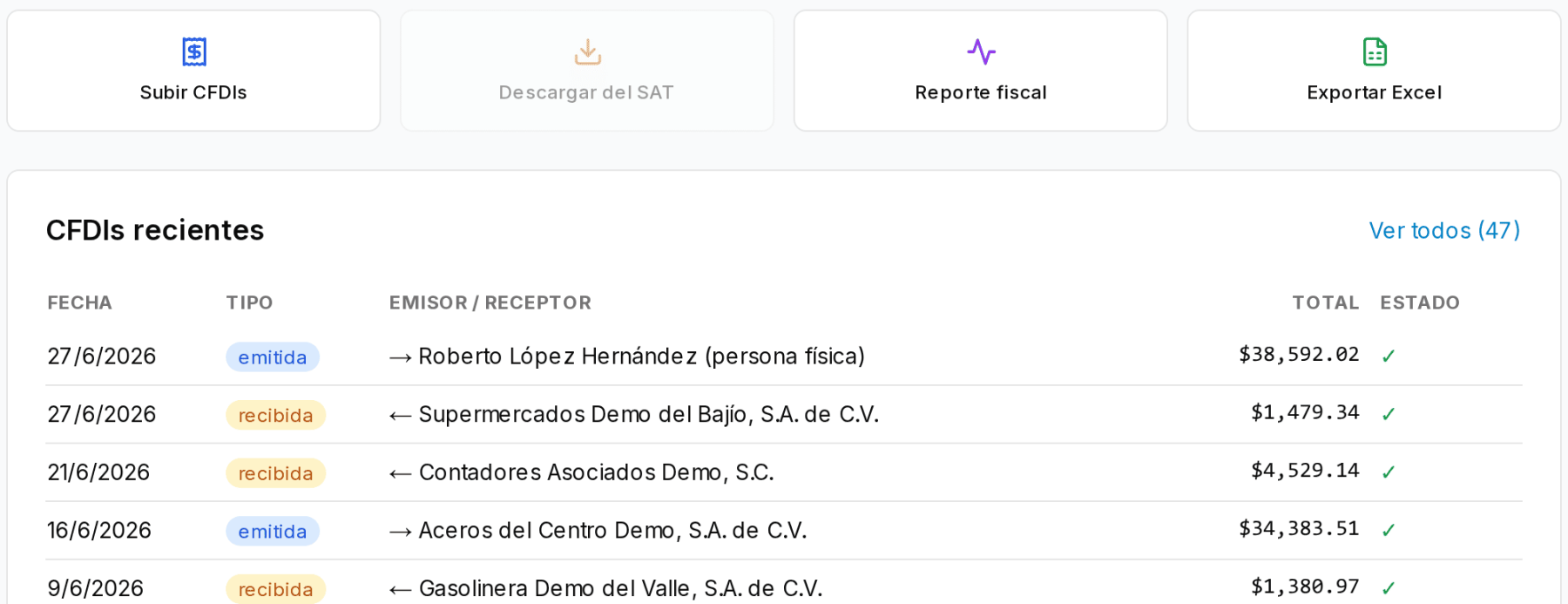
In Iurefficient’s tax module each taxpayer has their own page: from there you upload CFDIs, download them from the SAT once the e.firma is loaded, generate the tax report and export to Excel. Recent invoices stay in view, with type (issued or received), counterparty, total and status.
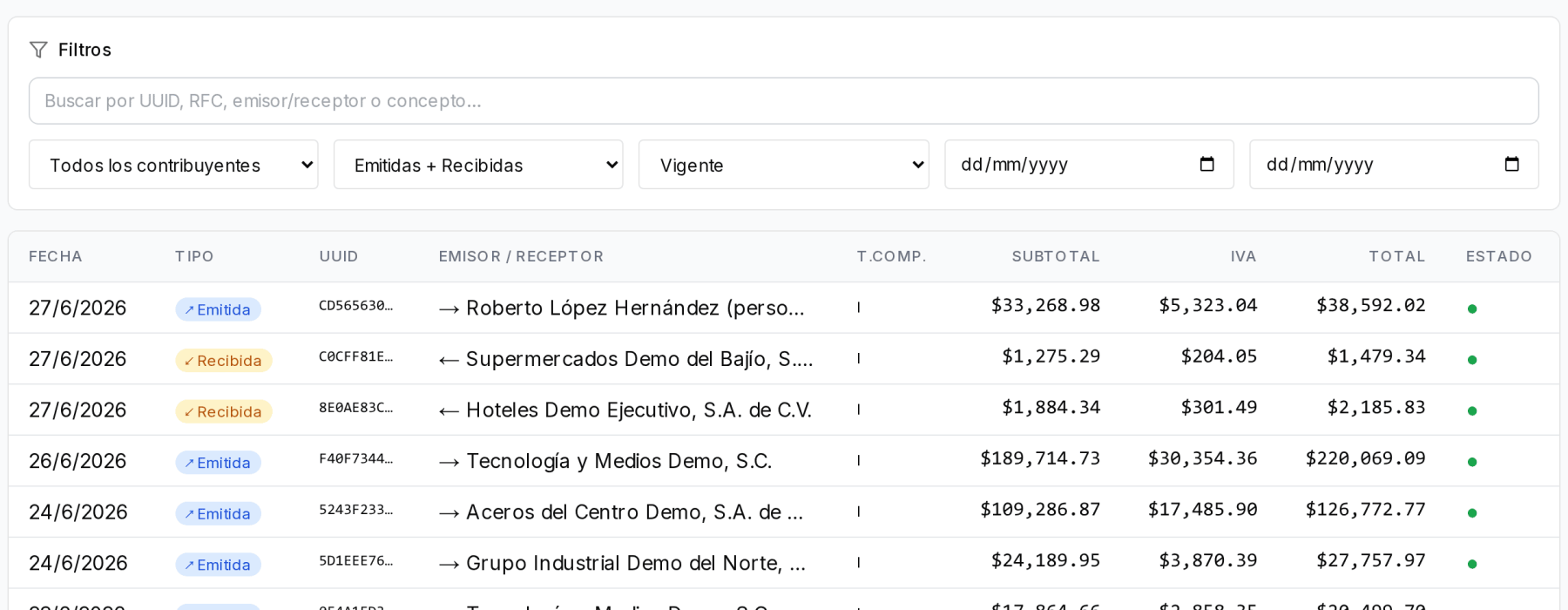
The general CFDI list lets you search by UUID, RFC, issuer or recipient and concept, and filter by taxpayer, type, status and dates, so finding an invoice stops being an expedition through folders.
This article is informational and does not replace professional advice on a specific case.
¿Quieres ver Iurefficient en acción?
Agenda una demostración o empieza tu prueba gratuita hoy mismo.
Solicitar demo