A risk matrix people actually use, not one that gets filed away

Many risk matrices are filled in at kickoff and never opened again. Seven practices to make yours change decisions: what to log, how to score, who owns it and what to do when a risk does happen.
A risk matrix is usually born in kickoff week: a meeting, a whiteboard, a spreadsheet full of ideas. Three months later nobody has opened it, and the risk that actually hits the project wasn’t even in it. The problem is rarely the template; it’s that the matrix isn’t connected to the daily work. Here are seven practices to connect it.
1. Log risks, not problems or complaints
A risk is something that hasn’t happened yet and that, if it does, changes scope, cost or date. “The vendor doesn’t release the certification window” is a risk; “the vendor is late” is already a problem and belongs on the task or incident list. Write it as cause and consequence: “if X happens, then Y”.
2. Score with a short scale and no endless debate
A 5×5 grid (probability times impact) is enough. Severity is the product: 4×5 = 20 weighs more than 3×3 = 9. Define up front what a 5 in impact means for your firm (for example, “delays delivery by more than a month” or “costs more than 10% of the budget”) so two people score the same way. If you spend more than two minutes debating a 3 versus a 4, write down both assumptions and move on.
3. One owner per risk, by name
A risk without an owner is a wish. The owner isn’t whoever causes it, but whoever watches the warning sign and triggers the plan. Every month, check how many active risks have no owner; that number should be zero.
4. Pick an explicit strategy
For each relevant risk decide whether to mitigate (reduce probability or impact), transfer (insurance, contract, vendor penalty), avoid (change the plan) or accept (and write down why). Accepting is a valid decision; ignoring is not.
5. Turn mitigation into a task in the plan
A mitigation plan that lives only in a matrix column doesn’t get executed: it has to appear on someone’s work list, with a date and an owner. If the risk is critical, the task should be high priority. A good test: ask a team member what their next mitigation action is; if they don’t know, it doesn’t exist.
6. Set a review date and revisit it at every status meeting
- Review critical and high risks at every status meeting (five minutes, no more).
- Reassess the rest monthly or at the end of each phase.
- Record the residual risk: how much is left after applying the plan. If it doesn’t go down, the plan isn’t working.
7. Tell “closed” from “occurred”, and keep the lesson
A risk is closed when it is no longer possible (the date passed, the cause was removed). A risk that occurred is something else: it should leave the current matrix but stay in the record with what it cost and what worked. That is the raw material for lessons learned and for the next project’s matrix. And if you run several projects, gather all the critical ones in a single portfolio view: the management question isn’t “how is this project doing?” but “what could complicate the quarter?”.
How it looks in Iurefficient
Each project can turn on its Risks tab (it starts off, for those who don’t use it). Risks are placed on a 5×5 matrix colored by severity; clicking a cell shows the risks in it.
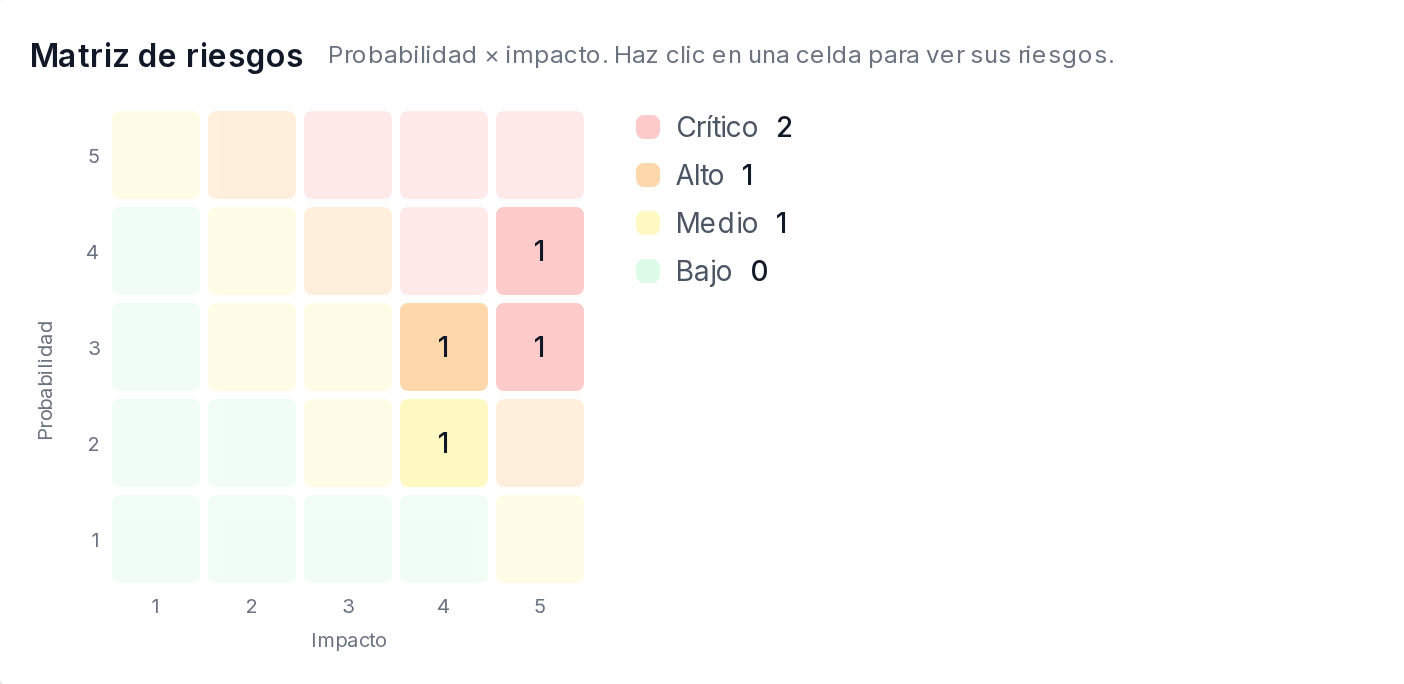
Each risk carries an owner, a strategy, a review date and a residual risk. The “Create mitigation task” button generates a task with the risk owner, the review date as the due date, and high priority if the risk is critical. “Mark as occurred” is different from “Close”: the risk leaves the current matrix but stays in the record, which is why it can’t be deleted. There is also a portfolio view with the risks of all projects sorted by severity.
The AI assistant also knows what the team declared: ask it about a project’s risks and it answers with the registered ones —which are active, their severity, who owns each one and which have no owner— and it tells the matrix a person filled in apart from the delay indicator the system calculates on its own from deadlines and tasks.
¿Quieres ver Iurefficient en acción?
Agenda una demostración o empieza tu prueba gratuita hoy mismo.
Solicitar demo