Requesting, receiving and signing client documents without chasing them

A tax return is rarely late for lack of expertise; it is late because a bank statement never arrived or a signature is pending. Seven practices so a tax practice stops chasing its clients.
In a tax practice, work rarely falls behind for lack of technical knowledge: it falls behind because a bank statement, a withholding certificate or a signature on a working paper is missing. Every month the same chase repeats over email and WhatsApp, with crossed versions and files nobody can find. These practices cut down that chase without making it more bureaucratic.
1. Send a checklist, not an email
“Send me October’s stuff” gets three incomplete replies. A closed checklist per client and period —statements for every bank account, expense invoices not available at the SAT, withholding certificates, payroll, new contracts— tells the client exactly what is missing and tells you what has arrived.
- One checklist per period, with a visible deadline.
- Each line with its status: pending, received, reviewed.
- What the SAT already has (issued and received CFDI invoices) is not requested from the client: it is downloaded.
2. Set a calendar the client can remember
Monthly returns have a due date; the client’s document delivery should have one too, with enough margin to review before filing. An automatic reminder a few days before the deadline —and another once it has passed— works better than a personal message on the due date, which always arrives too late.
3. One place to receive, not five channels
If documents arrive by email, WhatsApp, USB drive and a shared folder, sooner or later one gets lost and someone works with the wrong version. Choose a single channel where the client uploads and checks, and where the date of each delivery is recorded. That way, when the client says “I sent it to you”, there is a record of what arrived and when.
4. Protect personal data and the e.firma
What the client hands over includes personal data about them, their employees and third parties. In Mexico, the current Federal Law on the Protection of Personal Data Held by Private Parties was published in the DOF on March 20, 2025: make sure your privacy notice is up to date and that you only request what you really need.
- Do not receive sensitive information over personal chats or forward it to private accounts.
- The e.firma (the SAT’s advanced electronic signature) is personal. If the client authorizes you to use it for a specific filing, put it in writing and keep it protected, never in a shared folder or an email.
- Give access only to what each person needs: the client sees their own matters, not the firm’s whole file.
5. Choose the electronic signature by what is at stake
Not every document needs the same signature. Mexico’s Commercial Code recognizes the effects of data messages and electronic signatures; the difference lies in the evidence. To approve a working paper, a quote or the go-ahead for a return before filing it, a simple electronic signature with evidence (who signed, when, from where and on which exact version of the document) is usually enough. For contracts or documents that could end up in litigation, an advanced electronic signature with the SAT e.firma is advisable and, if it must be kept as a data message with evidentiary value, a preservation certificate under NOM-151-SCFI-2016.
6. Have the client approve before filing
A practice that saves arguments: before filing the return, send the client the summary —income, deductions, tax due— and ask for their signed approval. If a forgotten invoice shows up later, it is clear what information the work was based on. The same applies to payments: the client confirms the amount and date, and you keep the filing receipt together with that approval.
7. Archive in order, for as long as the law requires
Article 30 of the Federal Tax Code requires, as a general rule, keeping the accounting records and their supporting documentation for five years, with exceptions that extend that period. For the practice, that means archiving each period with the same structure —client documents, working papers, return, receipt, approval— so anyone on the team can find everything years later without asking whoever did it.
How it looks in Iurefficient
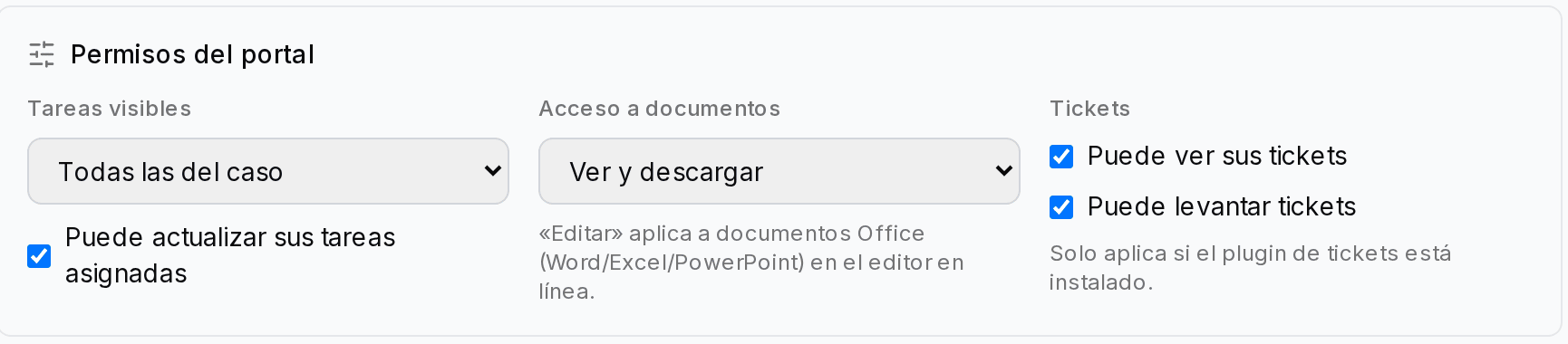
In Iurefficient the client signs in to an External Portal with their own account, without access to the rest of the firm. From there they see their matters and the tasks you assigned them (for example, “Upload October bank statements”), can mark them as done, view or download the documents you share, and write in a conversation with the team. You decide, per user, which tasks they see, what they can do with documents and whether they can open tickets.
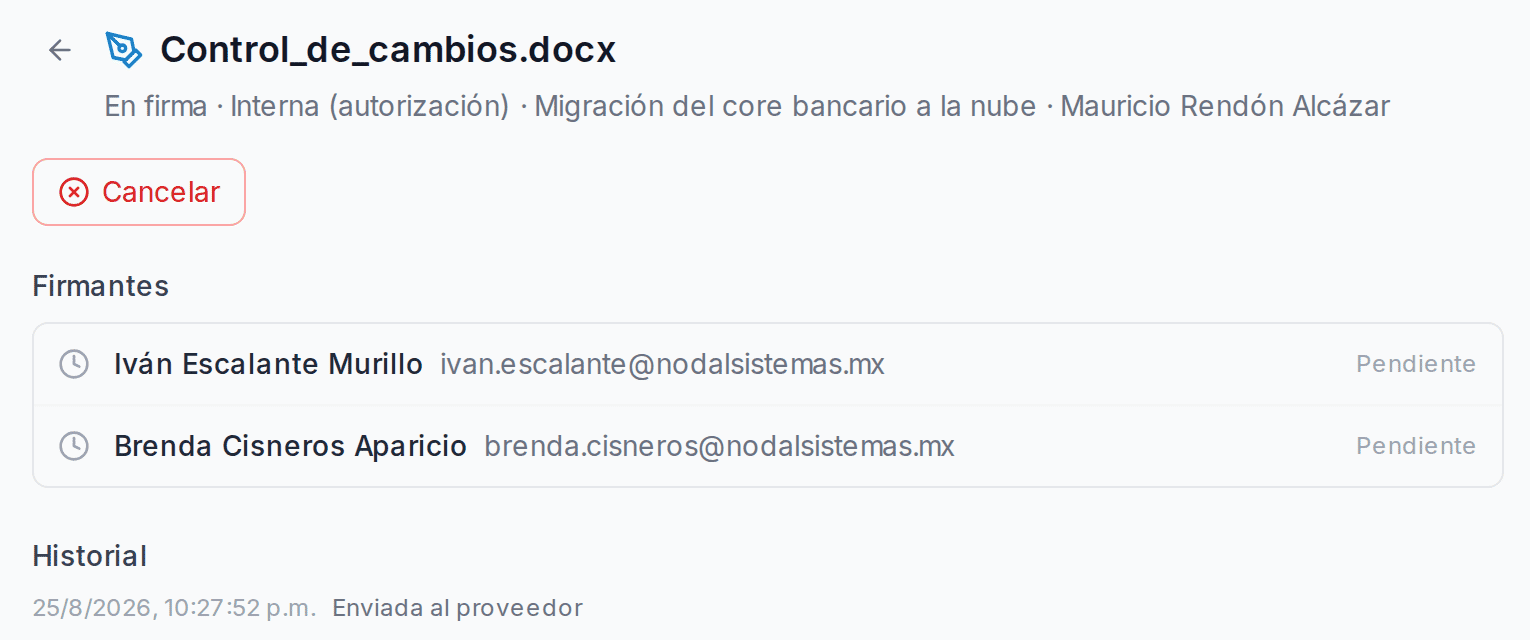
For approvals, the Electronic Signature module sends the document to one or more signers, in parallel or in order, and shows at any moment who has signed and who is still pending. An external signer can sign through a link with a one-time code sent to their email and a signature drawn on screen; the signed document returns to the file with an evidence sheet. For anything that requires the e.firma, it connects with providers such as Mifiel, with a NOM-151 certificate.
This article is for information only and is not a substitute for professional advice on a specific case.
¿Quieres ver Iurefficient en acción?
Agenda una demostración o empieza tu prueba gratuita hoy mismo.
Solicitar demo